
Routine HR queries
Employees can check attendance, holidays, payslips and request status without repeatedly contacting HR.
Give Qatar employees controlled access to attendance, leave, payslips, claims, documents, profile information, request status and assigned approval tasks.
Give employees one role-controlled place to view information, submit requests and follow progress without avoidable HR and payroll follow-up.
Employees can check attendance, holidays, payslips and request status without repeatedly contacting HR.
Leave, permission, on-duty, claim and document requests remain visible in one controlled workflow.
Payslip, salary statement, loan and advance information can be available directly to authorised employees.
Employees and approvers can see request history, current status and pending actions.
Keep information, requests, approvals, status and published payroll documents in one connected flow.
Employees use the organisation-specific LotusHRM portal or subdomain provided by their employer.
View profile, holidays, company documents, attendance dashboard and GPS attendance where enabled.
Apply for leave, permission, on-duty, claims and employee documents according to policy.
Assigned approvers use My Tasks to review requests under the configured approval hierarchy.
Review leave, permission, on-duty and claim status together with attendance summaries and logs.
View published payslips, salary statements, loan details and advance details where configured.
LotusHRM brings frequently requested HR, attendance and payroll information into one role-controlled portal.
View permitted employee information, company documents and document requests.
Review attendance summaries and logs, request incomplete-punch approval and use web check-in for authorised work from home.
Apply for leave, permission, on-duty, claims and incomplete-punch correction and follow approval status.
View published payslips, salary information, loan details and advance details.
Approvers can see assigned actions and process supported employee requests.
Keep request history visible and review employee-assigned asset details within ESS.
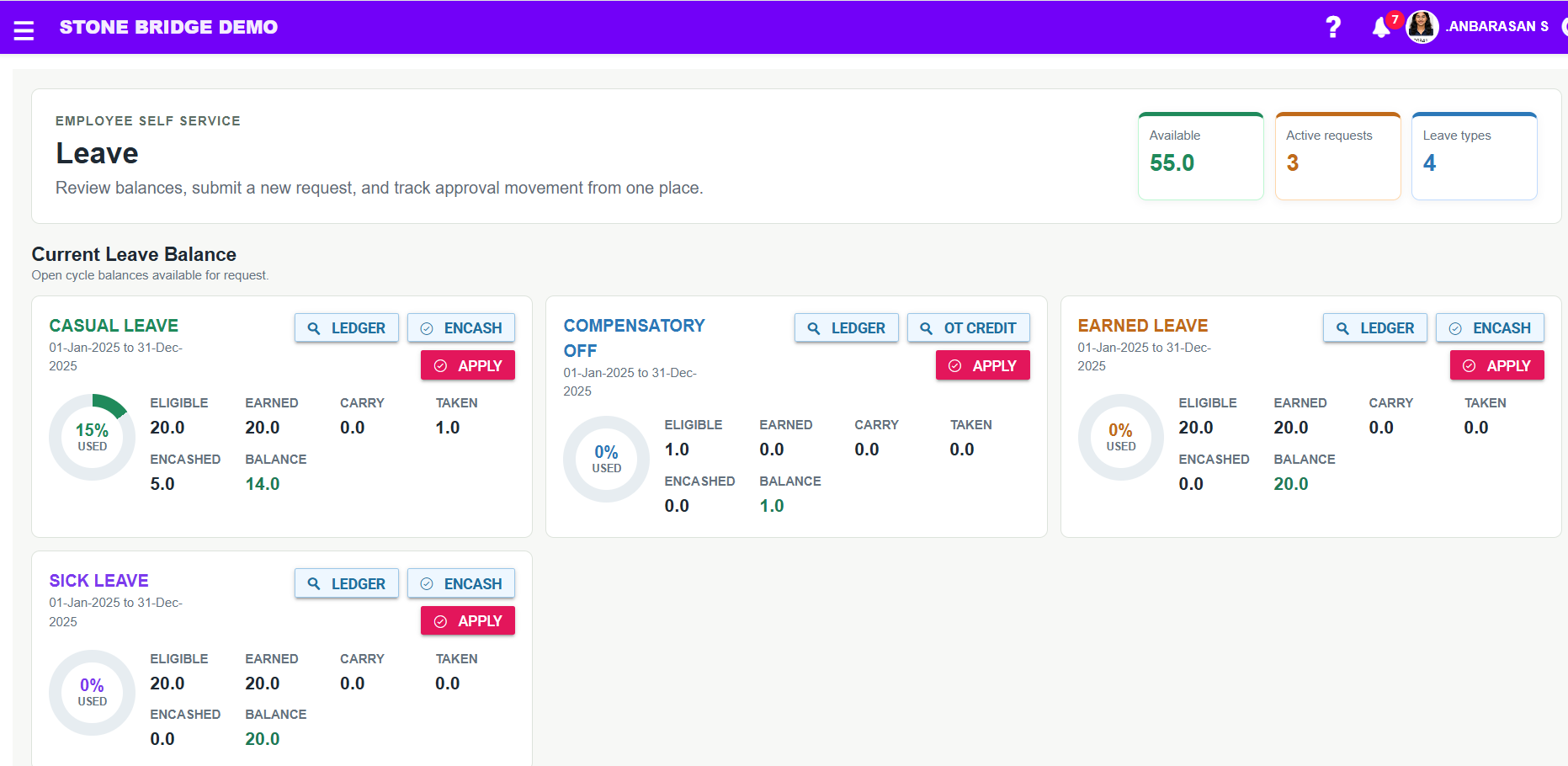
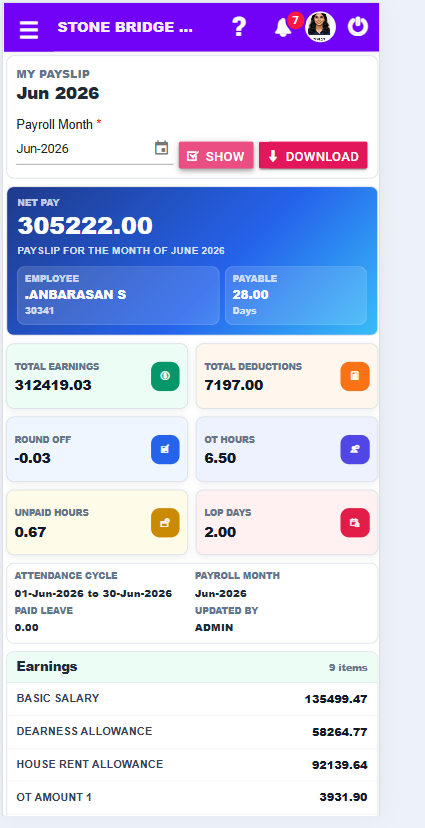
Show employees the actual self-service experience for payslips, leave requests and team planning.
Employees can view published payslips through controlled self service.
Submit leave requests and follow the configured approval flow.
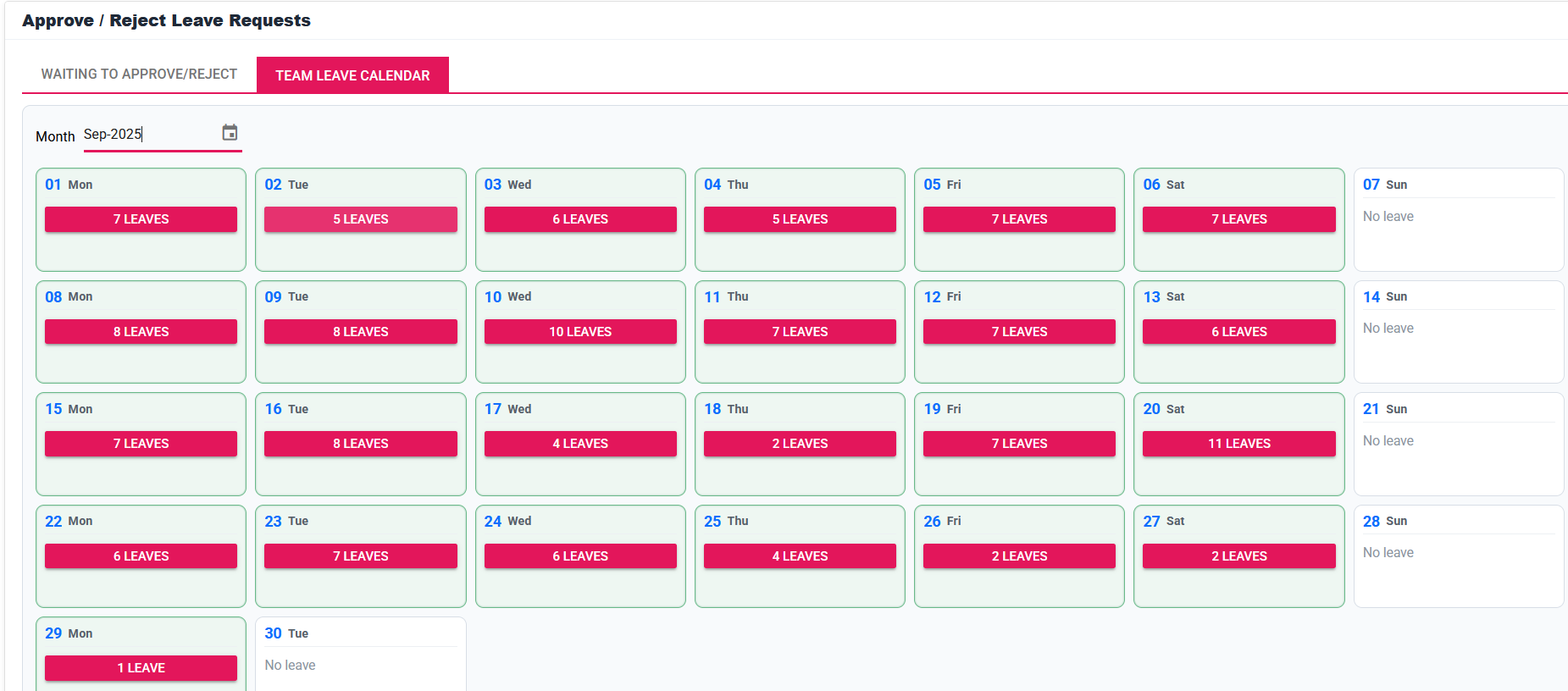
Leave and holiday context helps employees and managers plan better.
Employee menus connect to the admin-configured workflow, attendance, leave and payroll controls behind ESS.
Holiday Calendar, Profile, Company Documents, Employee Asset Details and web work-from-home check-in.
Payslip, salary statement, Loan Details and Advance Details.
Apply Leave, Permission, On Duty, Claim, Document and Incomplete Punch requests.
My Tasks, assigned approval visibility and workflow tracking.
Attendance dashboard, incomplete-punch approval, web check-in, summary, logs and GPS attendance.
Leave, Permission, On Duty and Claim Status with request history.
Employees can view routine information without contacting HR for every update.
Attendance, leave, payroll and request status remain visible to employees.
Leave, permission, on-duty and claim requests move through controlled workflows.
Payslip, salary statement, loan and advance visibility reduces payroll follow-up.
ESS connects naturally with mobile attendance and GPS-enabled employee workflows.
See how employees view attendance, submit requests, track approvals and access published payroll information.
Discuss payroll, WPS preparation, attendance, leave, EOS and reporting with our implementation team.