
Manual reconciliation
Bring food count, token usage and employee deduction records into a structured review flow.
Control meal eligibility, prepaid or postpaid tokens, staff virtual wallets, food counters, employee contributions and canteen reports in one traceable workflow.
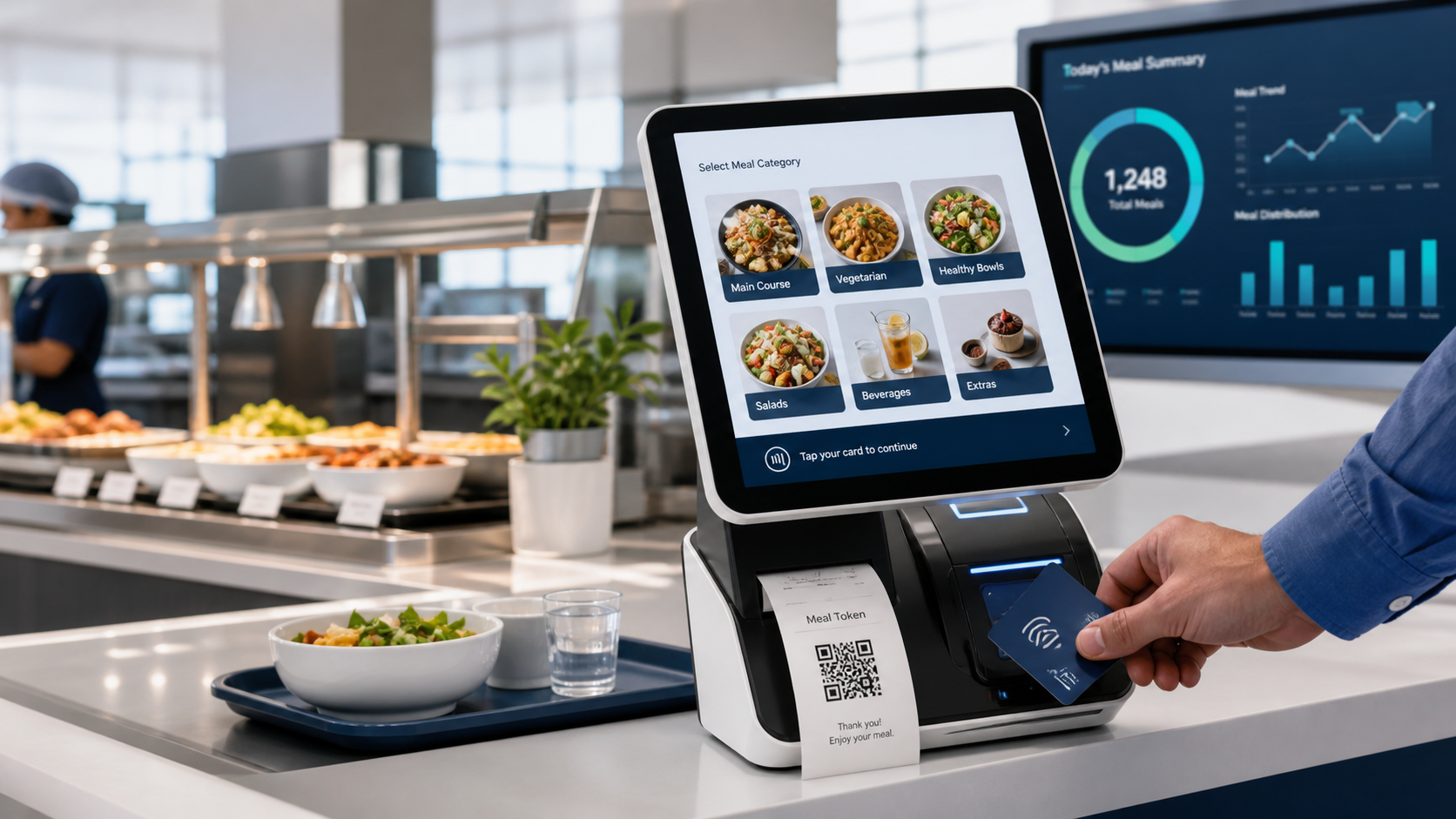
Replace disconnected meal registers with controlled food setup, token transactions, wallet records and reporting.
Bring food count, token usage and employee deduction records into a structured review flow.
Use eligibility, meal-session and token controls to reduce duplicate or unauthorised meal use.
Maintain employee and employer food contribution rules with supporting transaction reports.
Review date-wise, employee-wise and counter-wise operations across offices, factories and project sites.
Configure each stage around the organisation's food policy and operating environment.
Create food items, break times and counters, then assign available items to each serving point.
Approve food by employee or group and use bulk approval import when required.
Upload available food items to a supported POS terminal after interface compatibility is confirmed.
Generate prepaid or postpaid food tokens according to the selected canteen rule.
Credit staff wallets, deduct food prices and maintain employee or employer contribution records.
Review token, food count, employee payment, contribution and payroll-ready summaries.
Support controlled counter operations for employees, contractors and approved site users.
Food items, break times, meal sessions and counter assignments.
Generate the appropriate token and show the deduction and updated balance on the token slip.
Virtual staff wallet, prepaid credit, food-price deduction and employee or employer contribution.
Upload food items and connect approved terminal workflows after technical review.
Approve food by staff, employee category or group and support bulk approval import.
Configure feedback options and break times, then review feedback logs and reports.
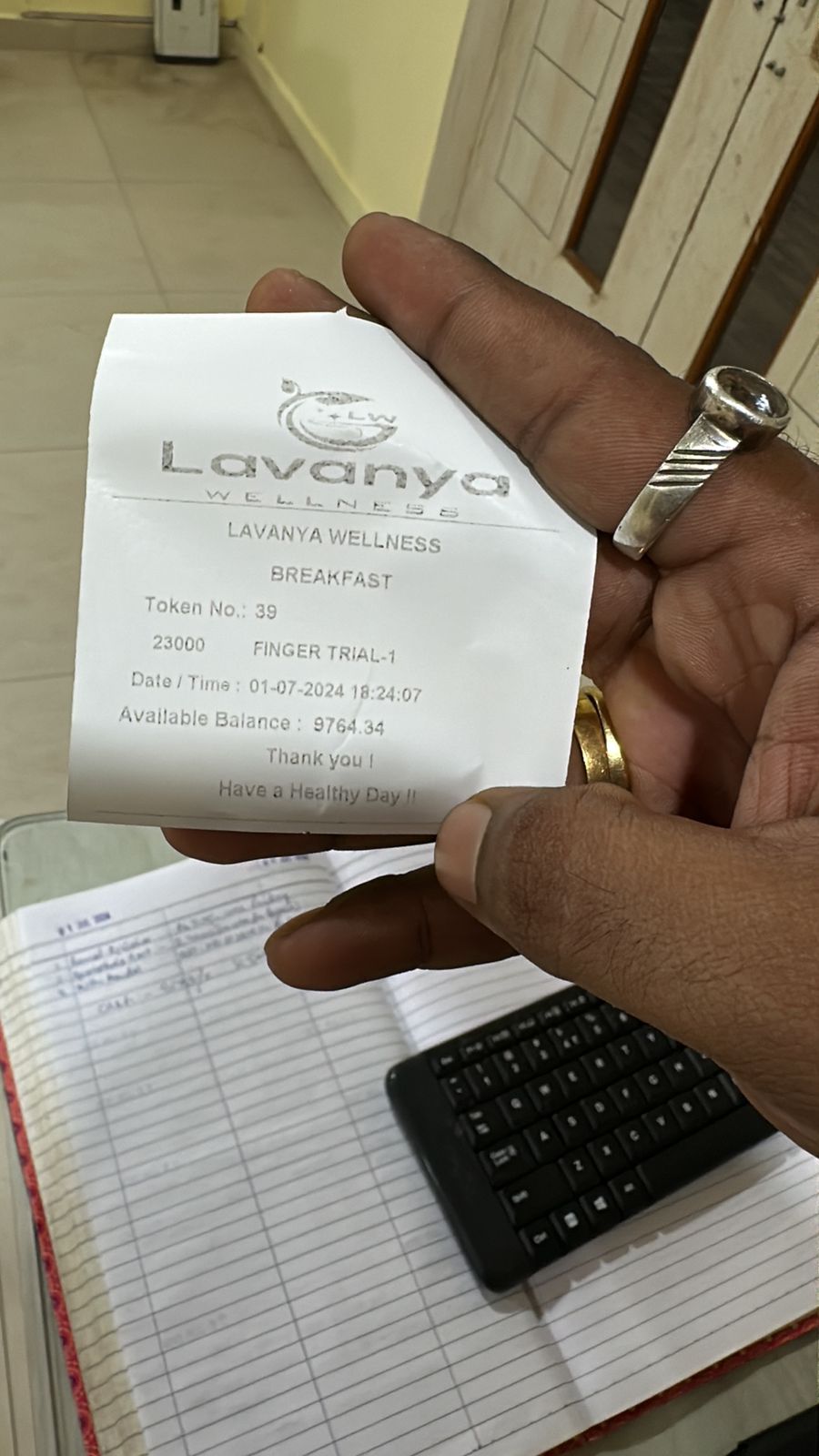
Each authorised meal can create a token record for the employee, food item, counter, date, price and configured contribution.
Videos load only when requested and stream through a byte-range handler compatible with IIS and modern browsers.
Report documents load through the binary PDF handler so the original bytes reach Acrobat, Chrome and Firefox unchanged.
Review token usage, food counts, payments, contribution, feedback and balances without rebuilding the information in spreadsheets.
Meal pricing, subsidy, tax treatment, payroll recovery, terminal compatibility and hardware interfaces are confirmed against the customer's Qatar policy before rollout.
Discuss payroll, WPS preparation, attendance, leave, EOS and reporting with our implementation team.